


*NOTE: This is for members assigned as the primary contact on your team. If you don’t know who your company MPC is or to change this responsibility to another person in your organization, please reach out to your local IAAPA office found here.
How to update my membership roster
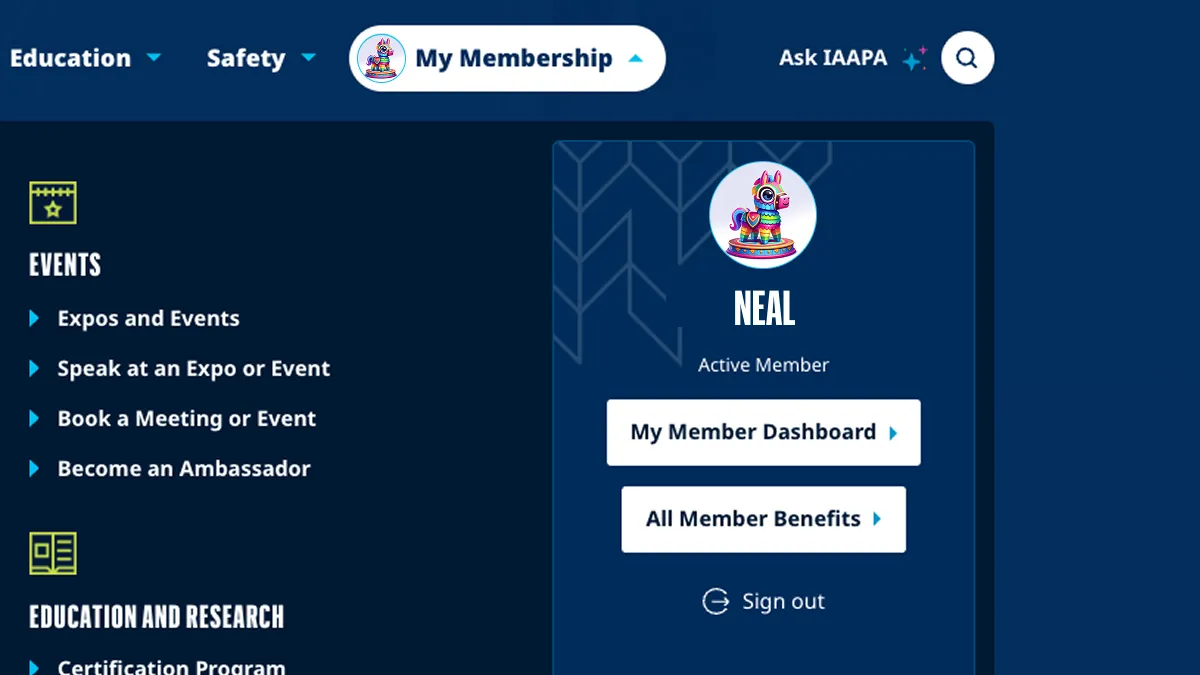
Step 1
Navigate to My Member Dashboard under My Membership.
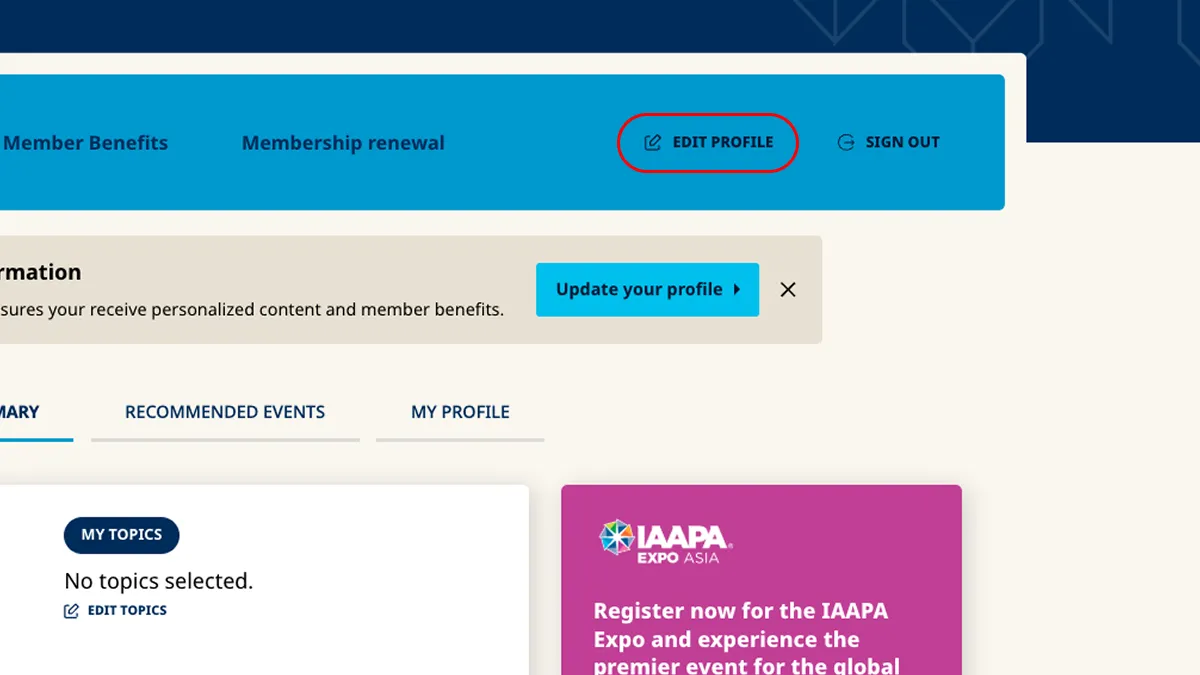
Step 2
From the member toolbar, select Edit Profile.
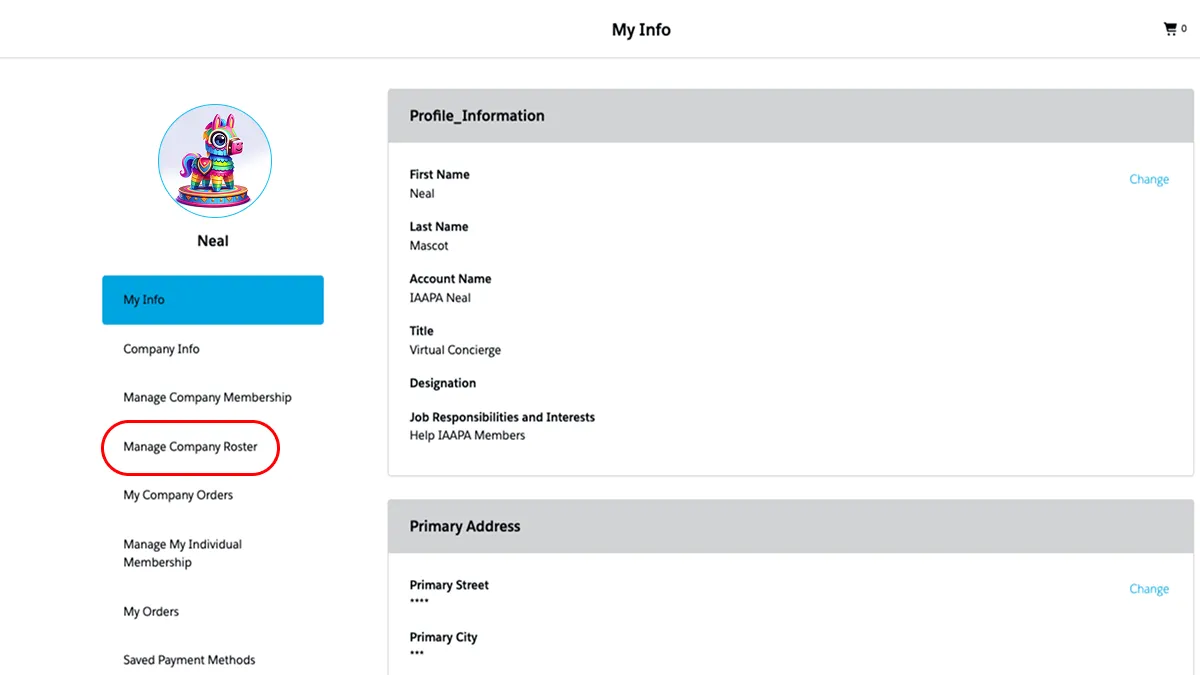
Step 3
Scroll down to the Manage Company Roster section.
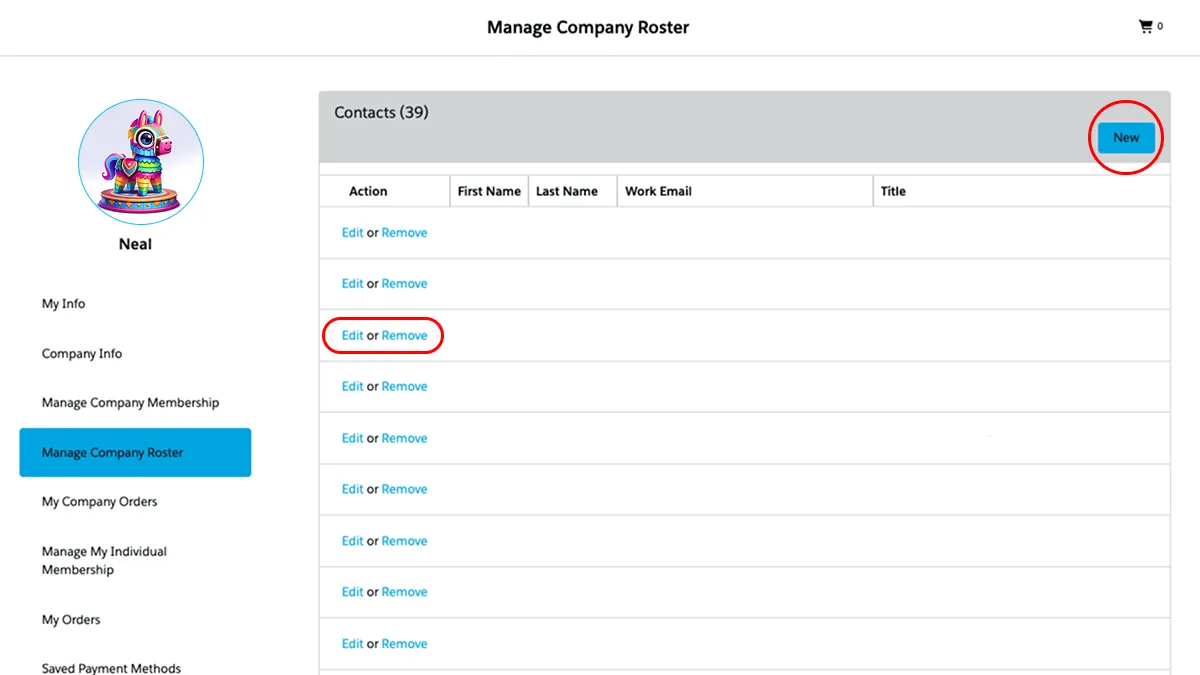
Step 4
From here, you can add, edit, or remove members from your roster.
Grid A
Grid A
Connect with the Real Stories Behind the Fun
Follow our social media for authentic stories, special moments, and behind-the-scenes looks from the attractions world.


