


*注:これは、チームの主担当者に指定されているメンバーを対象としています。自社のMPCが誰か分からない場合、またはこの役割を組織内の別の人に変更したい場合は、こちらから最寄りのIAAPA事務所までお問い合わせください。
会員名簿を更新する方法
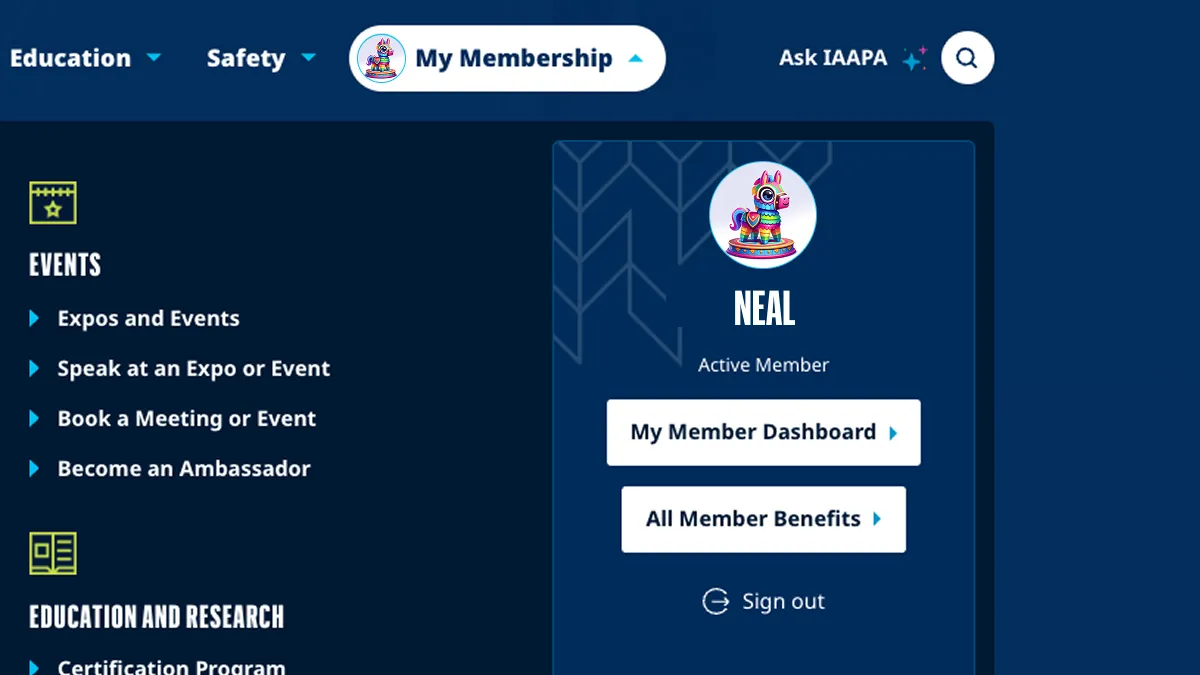
ステップ1
「マイメンバーシップ」の下にある「マイメンバーダッシュボード」に移動してください。
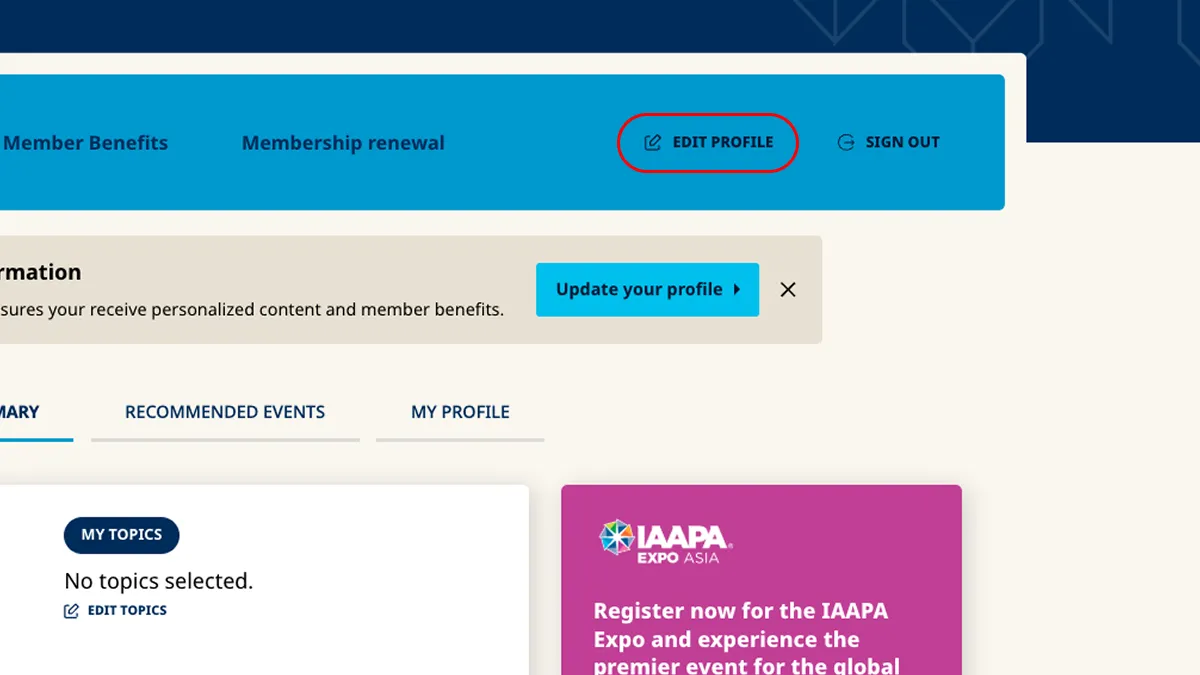
ステップ2
メンバーツールバーから、「プロフィールの編集」を選択してください。
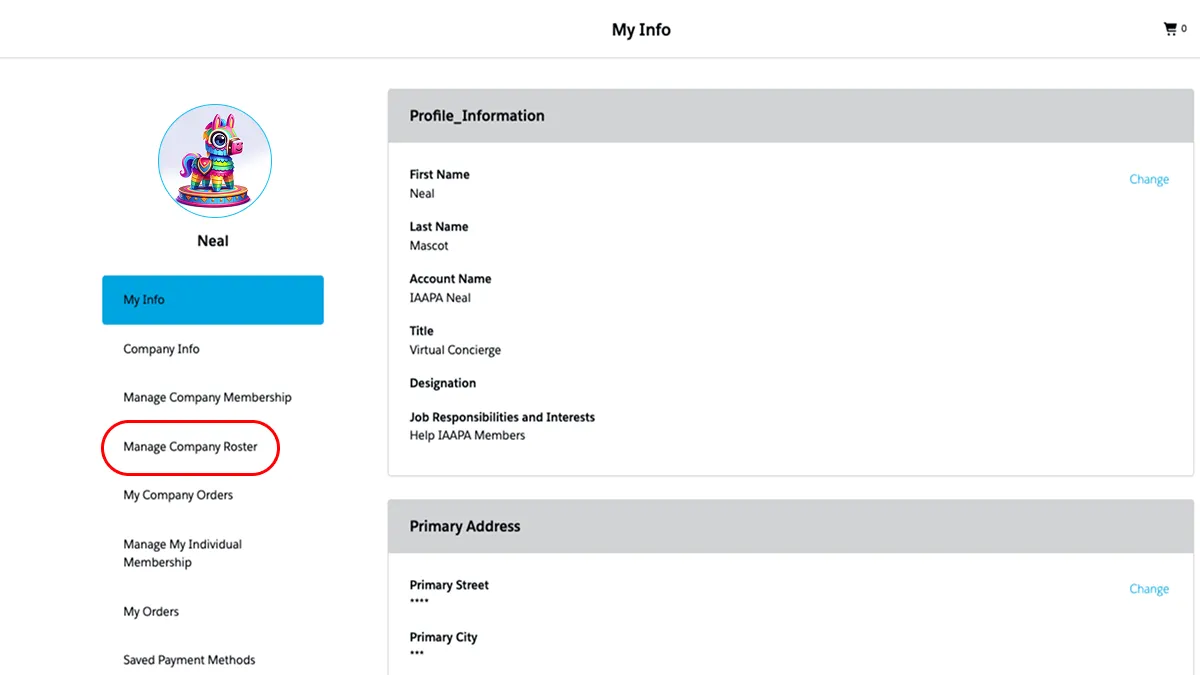
ステップ3
画面を下にスクロールして、「会社の名簿を管理」セクションまで進んでください。
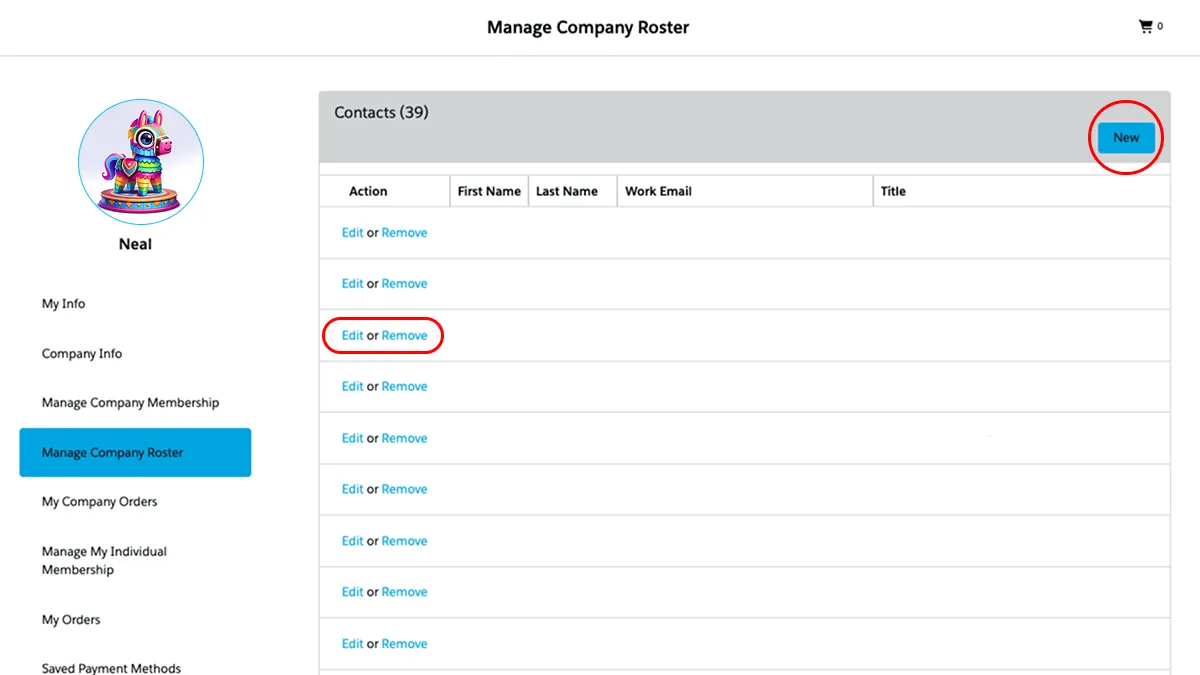
ステップ4
ここから、メンバーリストへのメンバーの追加、編集、削除を行うことができます。
Grid A
Grid A
Connect with the Real Stories Behind the Fun
Follow our social media for authentic stories, special moments, and behind-the-scenes looks from the attractions world.


